
You can use Version History to restore an old version of your document.
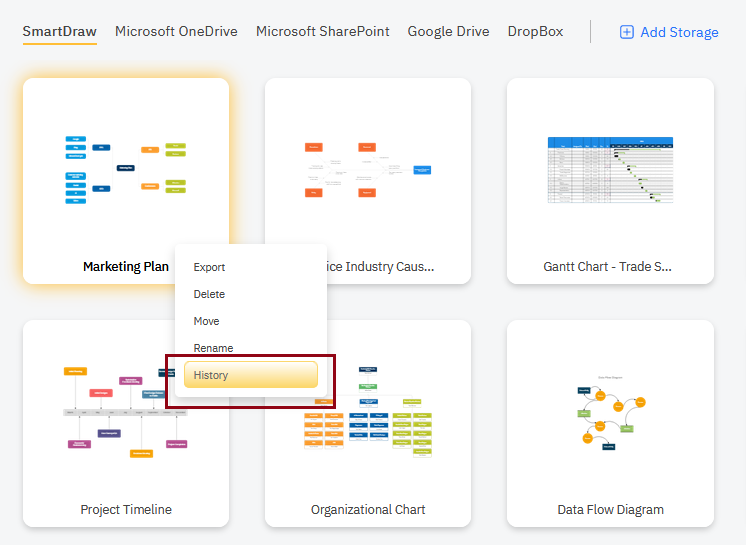
To view the history of any diagram, just right-click on the name of the diagram and select History.
In the dialog that pops up, you'll see a series of versions SmartDraw has saved. The version information will contain when the change was made and by whom. You can click on any of the versions to see a preview of that version of your document.
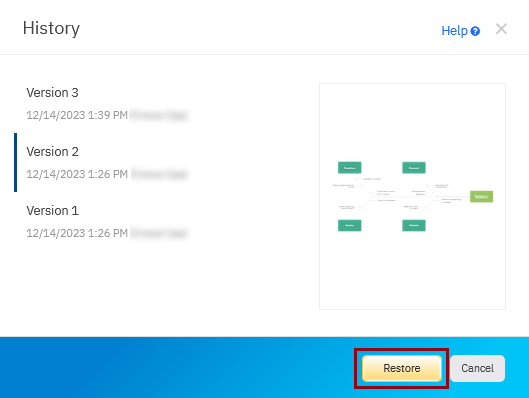
Select the version you want to restore and click Restore to make it the current version of the document again.