
You can resize any object by clicking and dragging the black selection handles around it. Learn how in this article.
You can also enter the precise dimensions for an object when dimensions are displayed like in a floor plan. First select the object, then click on the dimension displayed, and type the desired dimension using your keyboard. Press Enter or click elsewhere in your workspace to save the typed dimension.
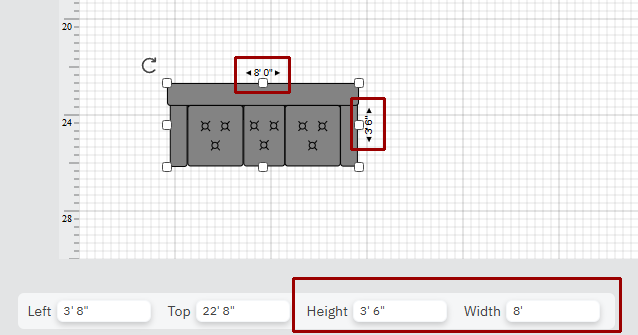
You can also do the same at the Height and Width numbers displayed at the bottom of the page. Just click to edit the values.