
You can easily change the scale from Standard (Imperial) to Metric or vice versa without redoing any part of your drawing.
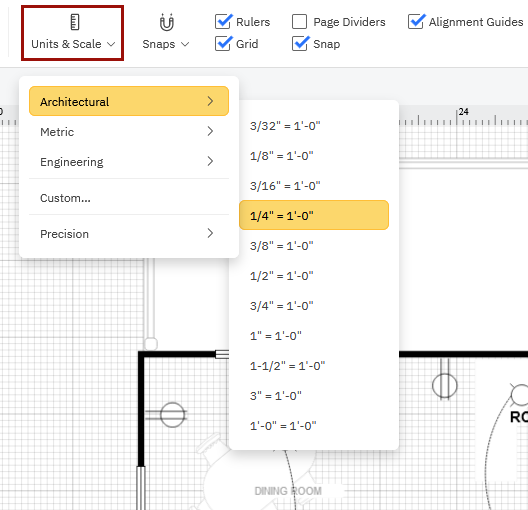
Choose Units & Scale from the Page tab.

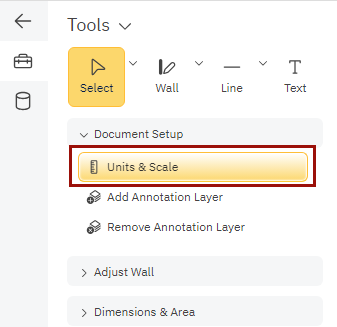
You can also find Units & Scale in your SmartPanel if you started with a floor plan, landscape design or other CAD type drawing template.
Select your desired scale from the drop-down menu. Choose from common Architectural, Metric, or Mechanical Engineering options.
Selecting Custom allows you to choose a customized scale (and customized rulers) from the Set Custom Scale dialog. Click OK once the scale (and ruler position) has been determined.
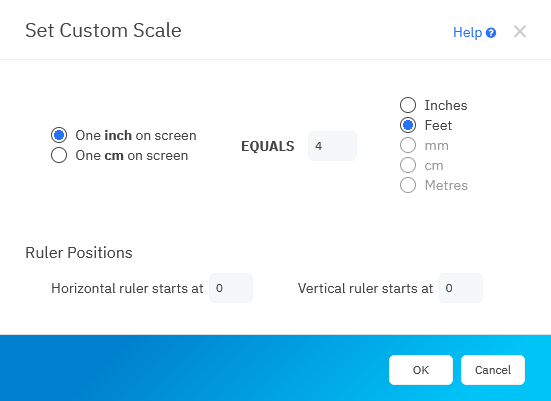
Learn more about the options in this dialog.