---
title: Configure SSO with Google Workspace
description: Set up single sign-on between SmartDraw and Google Workspace, including the SAML metadata and attribute mapping.
---
[Skip to content](https://support.smartdraw.com/configure-sso-with-google-workspace#main-content)
English - United States
Show submenu for translations
[Submit a Request](https://support.smartdraw.com/kb-tickets/new?hsLang=en-us)

Open main navigation
Close main navigation
- English - United States
Show submenu for translations
- [Submit a Request](https://support.smartdraw.com/kb-tickets/new)
How can we help you?
- There are no suggestions because the search field is empty.
1. [SmartDraw Knowledge Base](https://support.smartdraw.com/?hsLang=en-us)
2. [My Account](https://support.smartdraw.com/my-account?hsLang=en-us)
3. [Enterprise](https://support.smartdraw.com/my-account?hsLang=en-us#enterprise)
# Configure SSO with Google Workspace
SmartDraw lets you provision your users using SSO through Google Workspace™. We'll walk you through getting the right SAML metadata and attribute mapping.
### Add a Custom SAML App in the Google Admin Console
First, we need to configure a new SAML app in your Google Workspace™ admin console and download the **Identity Provider Metadata** to make configuring SmartDraw SSO easier.
1. Go to the Google Admin Console website ([https://admin.google.com](https://admin.google.com)) and sign-in with your Google Workspace™ admin credentials.
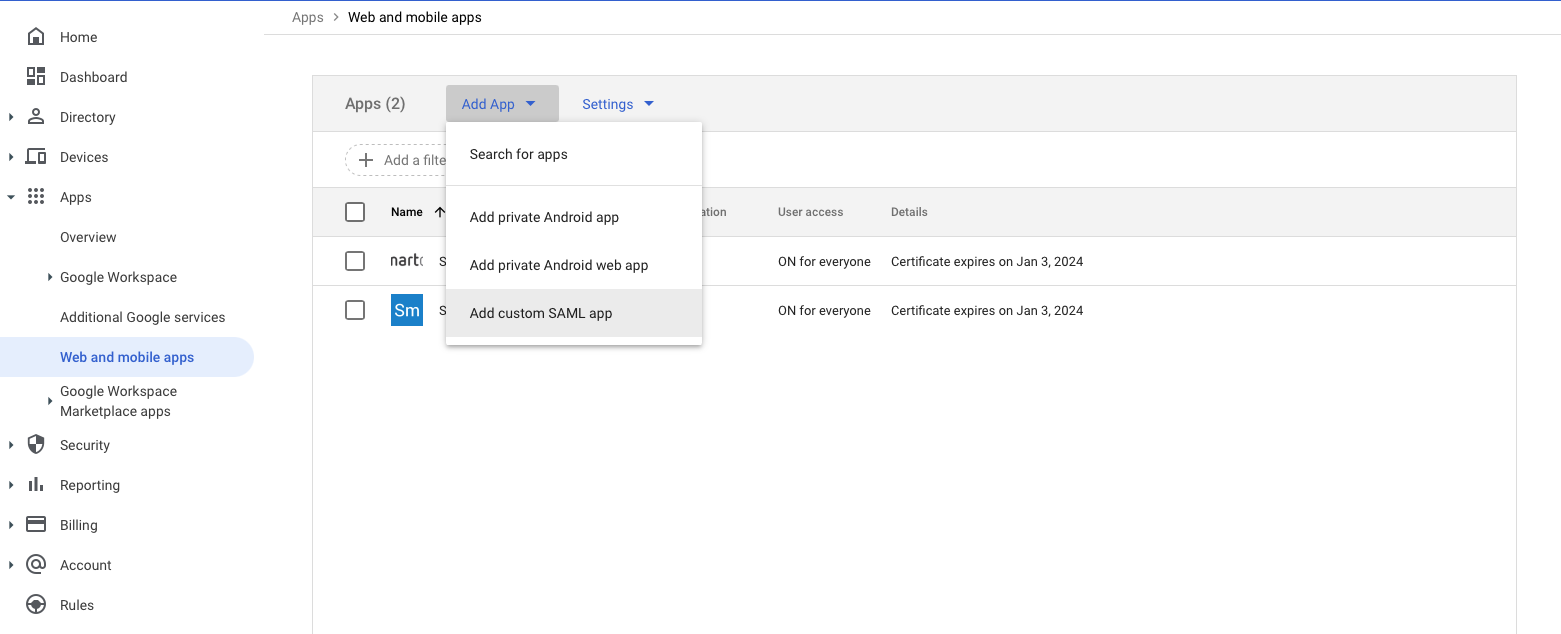
2. Go to the home page (Main menu -> Home) and click **Apps**.
3. Select **Web and mobile apps** on the left panel.
4. Click **Add App** then **Add custom SAML app**.
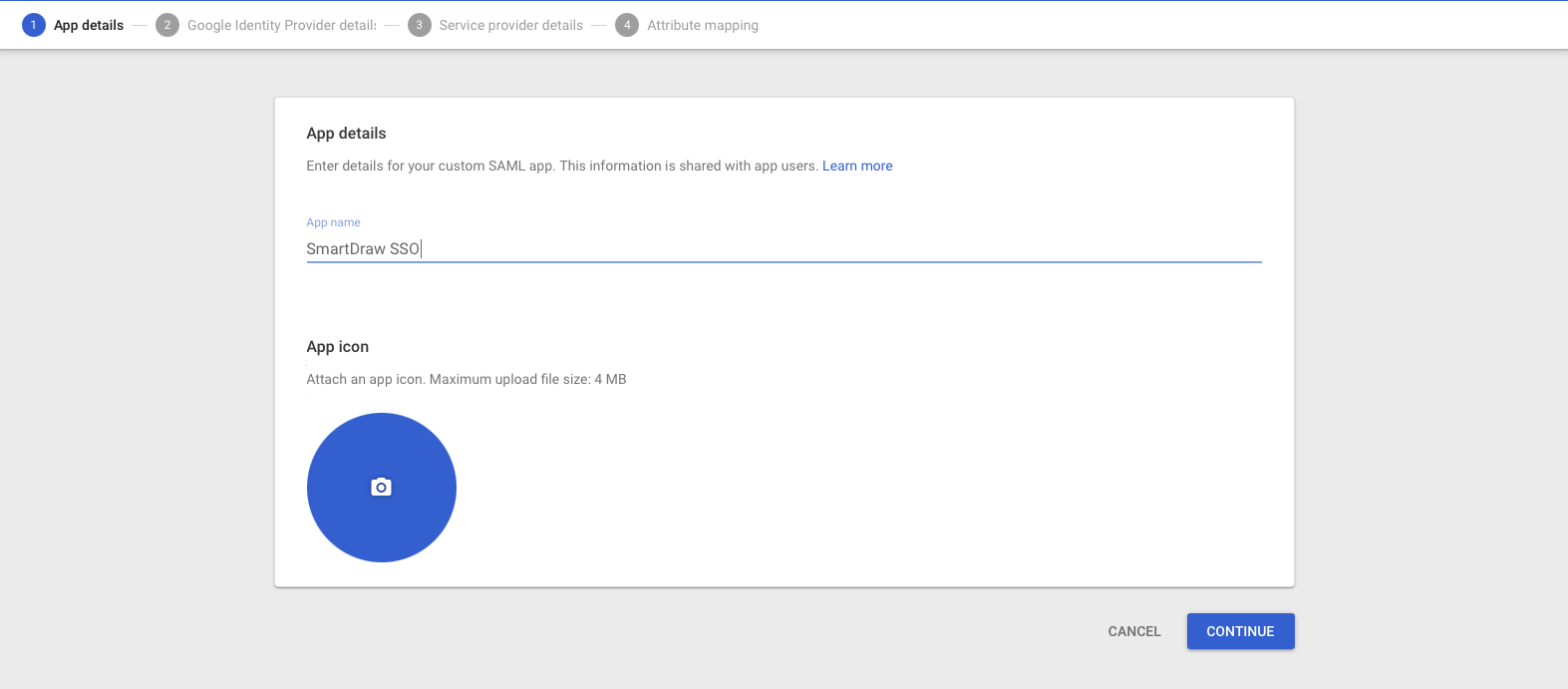
Provide a unique name for app, we suggest SmartDraw SSO.
As the last step, download the metadata to your **Downloads** folder.
###  Setting Up Your SmartDraw License for SSO
To complete the SSO configuration, we need to import the metadata file you downloaded and connect the entity URL from Google to your SmartDraw license.
Login to [My Account](https://www.smartdraw.com/myaccount).
Click on **SSO** in the left panel.
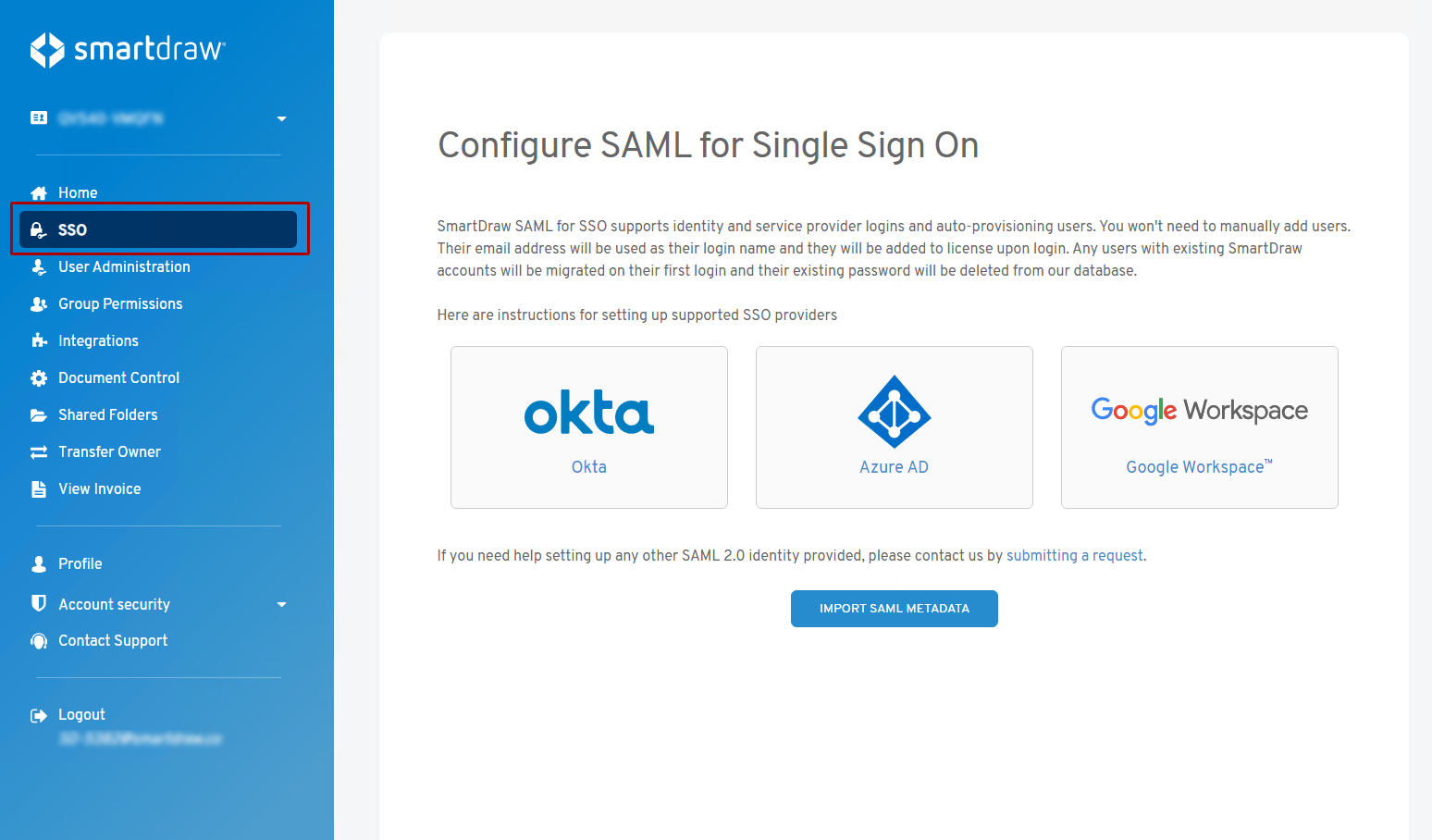
Click on the **Import SAML Metadata** button.
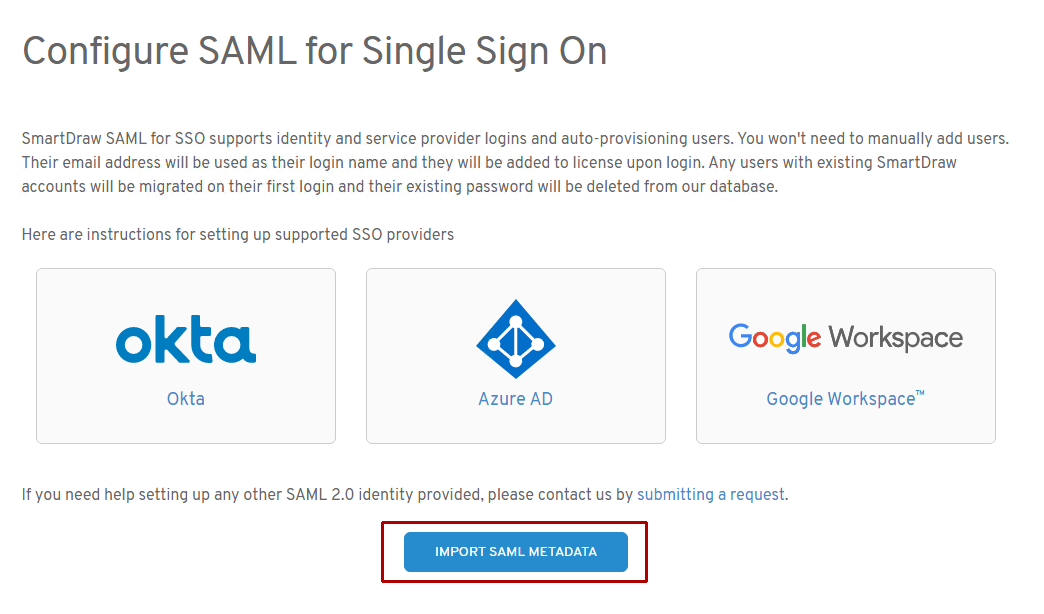
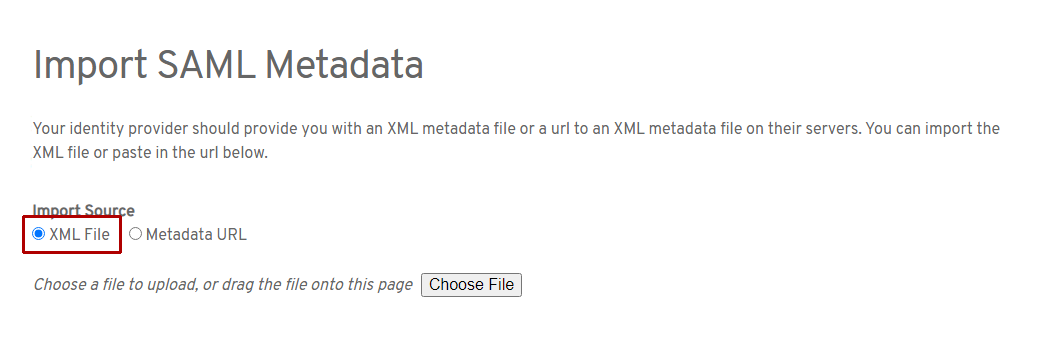
On the next screen, select **XML file** and browse to the XML file you saved from Google Workspace on your computer.
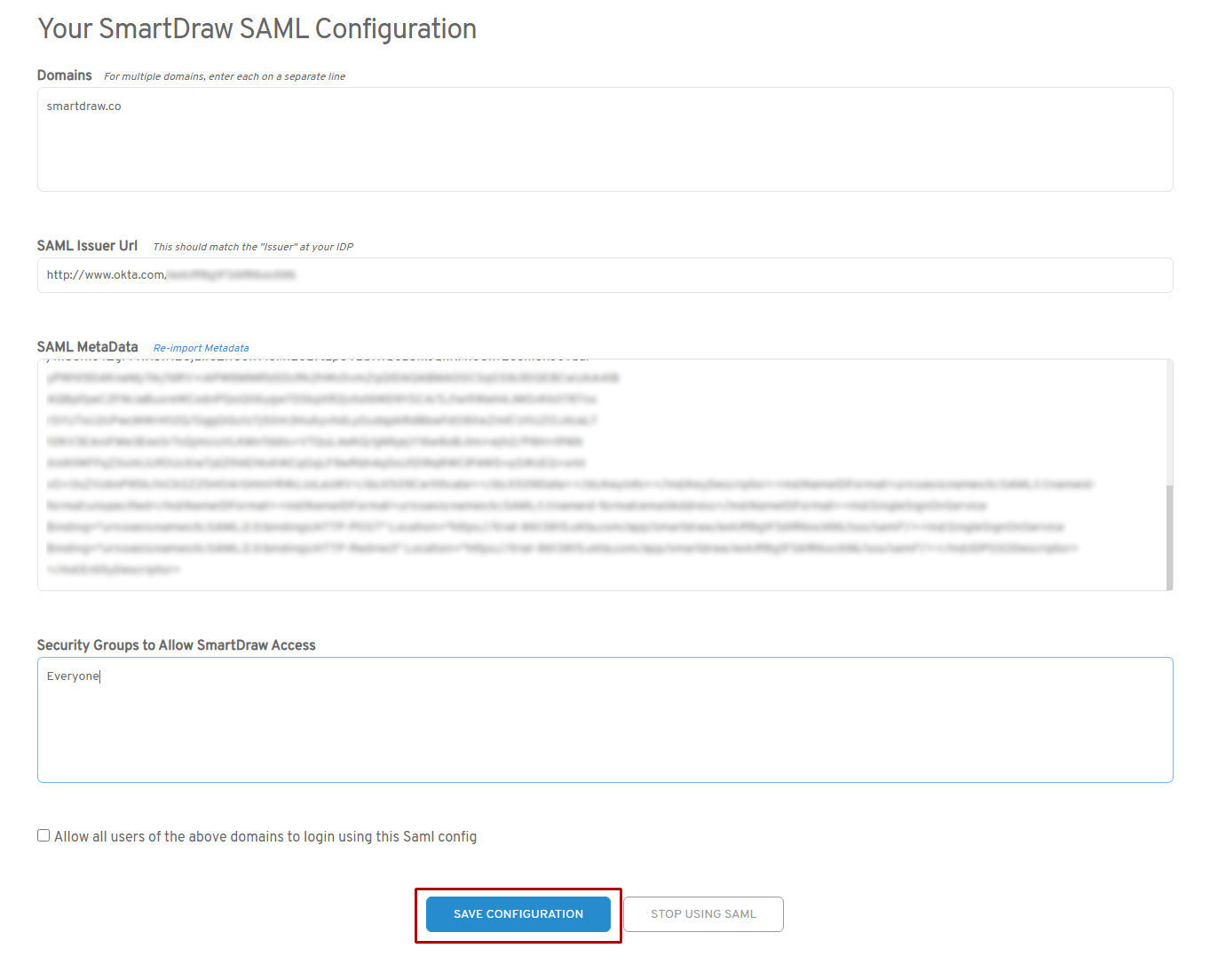
SmartDraw will automatically process the imported file. You can double-check the SAML issues and URL and click **Save Configuration** to enable Google Workspace SSO.
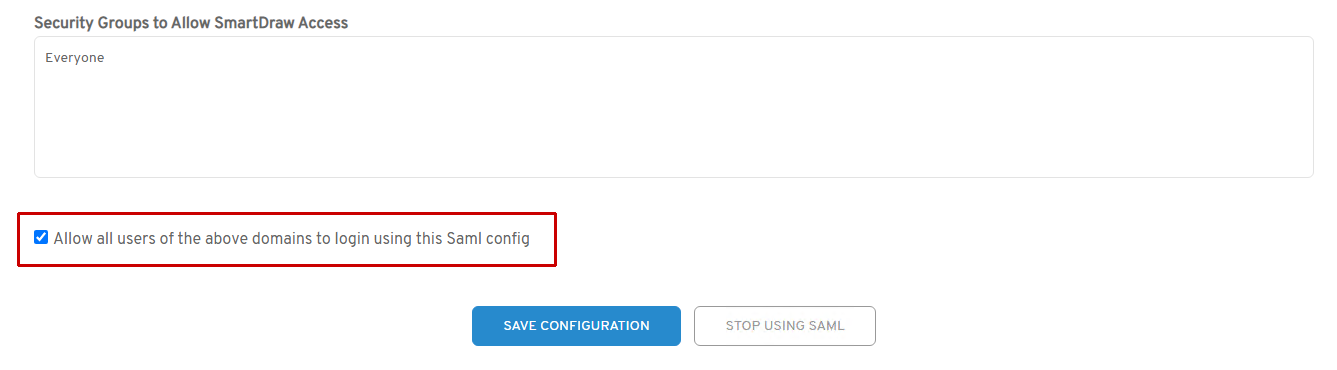
When you're ready to fully enable SSO for every user, make sure you check **All all users of the above domains to login using this Saml config** and save your settings.
This toggle lets you check your SSO set up before users see it. You can turn it on an off as you need to test things, but it needs to be checked for your users to be able to use SSO with SmartDraw.
### Complete the Custom SAML Configuration with Attribute Mapping
Return to the Google Admin Console and in the "**Service Provider Details**" section, enter the following information.
1. Copy and paste the ACS URL from your account: [https://app.smartdraw.com/sso/saml/login/\[your-google-workspace-primary-domain\]](https://app.smartdraw.com/sso/saml/login/[your-google-workspace-primary-domain])
- This is the link we recommend you email your team after completing the setup
2. Enter this under the **Entity ID**: [https://www.smartdraw.com/](https://www.smartdraw.com/)
3. Verify "**Basic Information > Primary Email**" is selected under **Name ID**.
4. Click "**NEXT**".
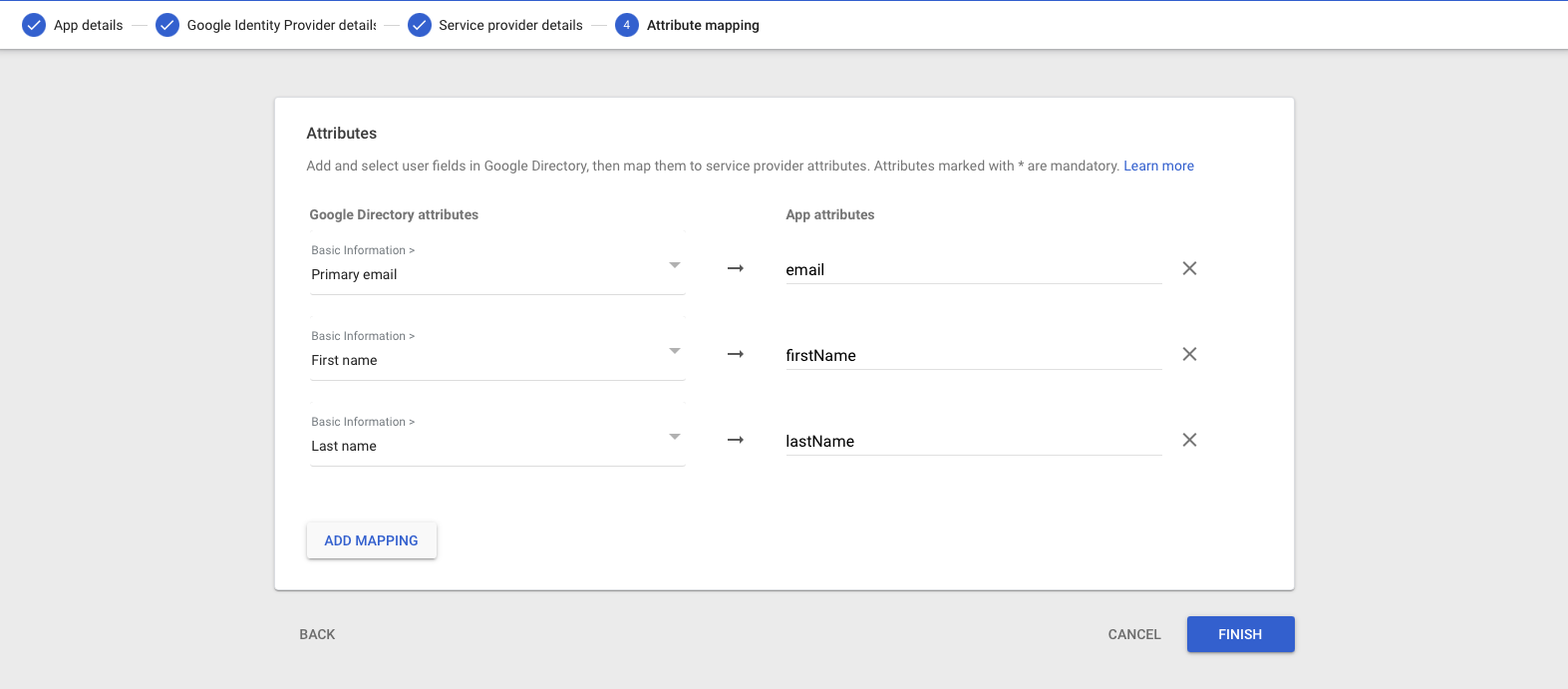
5. Add 3 attribute mappings.
Primary email -> email
First Name -> firstName
Last Name -> lastName
6. Click "**Finish**".
### Testing Your Setup
### From the Google Workspace™ Admin Console
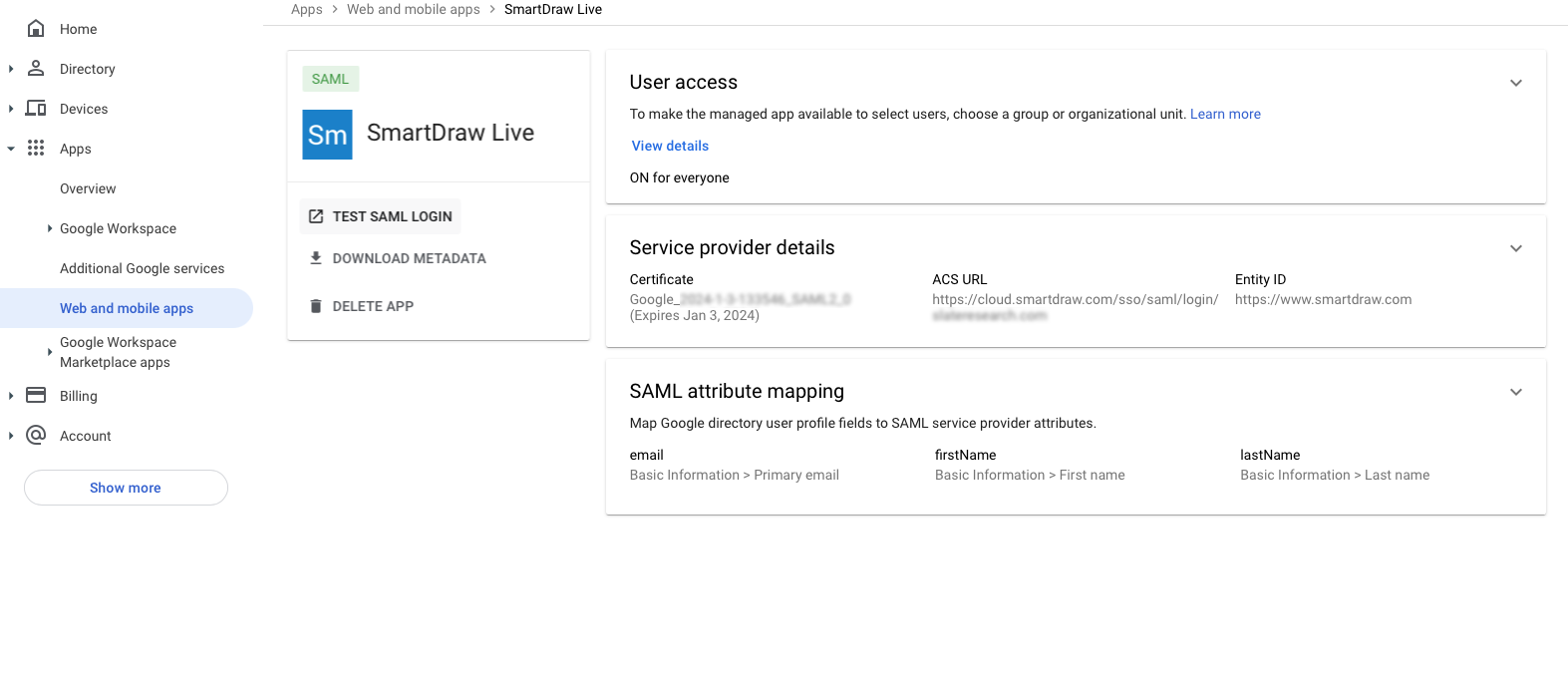
1. Click "**Apps**" and "**Web and mobile apps**" in the left panel.
2. Click the custom app "**SmartDraw SSO**" created earlier.
3. Click the "**TEST SAML LOGIN**" option to test the SSO cycle.
### From a Web Browser
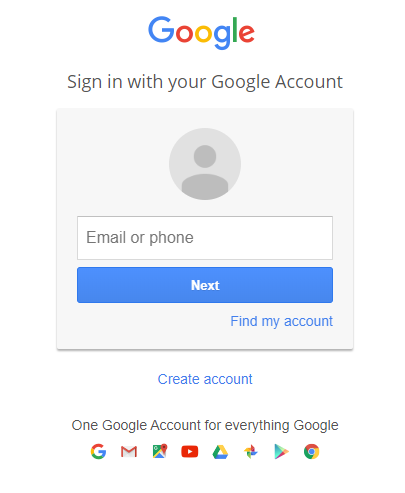
1. Open your web browser and enter your SSO URL. This will be: [https://app.smartdraw.com/sso/saml/login/\[google-workspace-domain\]](https://app.smartdraw.com/sso/saml/login/[google-workspace-domain])
2. Enter your Google login information.
- [The Basics](https://support.smartdraw.com/the-basics?hsLang=en-us#main-content)
- [Getting Started](https://support.smartdraw.com/the-basics?hsLang=en-us#getting-started)
- [Selection](https://support.smartdraw.com/the-basics?hsLang=en-us#selection)
- [Moving & Sizing](https://support.smartdraw.com/the-basics?hsLang=en-us#moving-sizing)
- [Text Entry](https://support.smartdraw.com/the-basics?hsLang=en-us#text-entry)
- [File Saving](https://support.smartdraw.com/the-basics?hsLang=en-us#file-saving)
- [How to Draw Anything](https://support.smartdraw.com/how-to-draw-anything?hsLang=en-us#main-content)
- [Getting Started](https://support.smartdraw.com/how-to-draw-anything?hsLang=en-us#getting-started)
- [Popular Diagrams](https://support.smartdraw.com/how-to-draw-anything?hsLang=en-us#popular-diagrams)
- [Other Diagrams](https://support.smartdraw.com/how-to-draw-anything?hsLang=en-us#other-diagrams)
- [FAQ](https://support.smartdraw.com/faq?hsLang=en-us#main-content)
- [Ordering Questions](https://support.smartdraw.com/faq?hsLang=en-us#ordering-questions)
- [Trials](https://support.smartdraw.com/faq?hsLang=en-us#trials)
- [Subscriptions](https://support.smartdraw.com/faq?hsLang=en-us#subscriptions)
- [Printing](https://support.smartdraw.com/faq?hsLang=en-us#printing)
- [My Account](https://support.smartdraw.com/my-account?hsLang=en-us#main-content)
- [All Users](https://support.smartdraw.com/my-account?hsLang=en-us#all-users)
- [Multi-Seat and Enterprise](https://support.smartdraw.com/my-account?hsLang=en-us#multi-seat-and-enterprise)
- [Enterprise](https://support.smartdraw.com/my-account?hsLang=en-us#enterprise)
- [Templates & Documents](https://support.smartdraw.com/templates-documents?hsLang=en-us#main-content)
- [Templates](https://support.smartdraw.com/templates-documents?hsLang=en-us#templates)
- [My Documents](https://support.smartdraw.com/templates-documents?hsLang=en-us#my-documents)
- [File Storage](https://support.smartdraw.com/templates-documents?hsLang=en-us#file-storage)
- [Videos](https://support.smartdraw.com/videos?hsLang=en-us#main-content)
- [Diagramming Basics and Tips](https://support.smartdraw.com/videos?hsLang=en-us#diagramming-basics-and-tips)
- [How to Draw Every Type of Diagram](https://support.smartdraw.com/videos?hsLang=en-us#how-to-draw-every-type-of-diagram)
- [Advanced Diagramming with Data](https://support.smartdraw.com/videos?hsLang=en-us#advanced-diagramming-with-data)
- [Sharing and Integrations](https://support.smartdraw.com/videos?hsLang=en-us#sharing-and-integrations)
- [Managing Your License, Users, and Account](https://support.smartdraw.com/videos?hsLang=en-us#managing-your-license-users-and-account)
- [SmartDraw AI](https://support.smartdraw.com/smartdraw-ai?hsLang=en-us#main-content)
- [AI Diagramming](https://support.smartdraw.com/smartdraw-ai?hsLang=en-us#ai-diagramming)
- [MCP Server](https://support.smartdraw.com/smartdraw-ai?hsLang=en-us#mcp-server)
- [Managing AI Access](https://support.smartdraw.com/smartdraw-ai?hsLang=en-us#managing-ai-access)
- [Collaboration](https://support.smartdraw.com/collaboration?hsLang=en-us#main-content)
- [Collaboration](https://support.smartdraw.com/collaboration?hsLang=en-us#collaboration)
- [Export](https://support.smartdraw.com/collaboration?hsLang=en-us#export)
- [Whiteboarding](https://support.smartdraw.com/collaboration?hsLang=en-us#whiteboarding)
- [Integrations](https://support.smartdraw.com/integrations?hsLang=en-us#main-content)
- [Storage](https://support.smartdraw.com/integrations?hsLang=en-us#storage)
- [Apps](https://support.smartdraw.com/integrations?hsLang=en-us#apps)
- [Visualizers](https://support.smartdraw.com/integrations?hsLang=en-us#visualizers)
- [Diagrams from Data](https://support.smartdraw.com/diagrams-from-data?hsLang=en-us#main-content)
- [Data Visualizers](https://support.smartdraw.com/diagrams-from-data?hsLang=en-us#data-visualizers)
- [Charts, Graphs, and Gauges](https://support.smartdraw.com/diagrams-from-data?hsLang=en-us#charts-graphs-and-gauges)
- [Shape Data](https://support.smartdraw.com/diagrams-from-data?hsLang=en-us#shape-data)
- [Custom Visualization](https://support.smartdraw.com/diagrams-from-data?hsLang=en-us#custom-visualization)
- [Reference](https://support.smartdraw.com/reference?hsLang=en-us#main-content)
- [Symbols](https://support.smartdraw.com/reference?hsLang=en-us#symbols)
- [Connectors](https://support.smartdraw.com/reference?hsLang=en-us#connectors)
- [Lines](https://support.smartdraw.com/reference?hsLang=en-us#lines)
- [Arranging Shapes](https://support.smartdraw.com/reference?hsLang=en-us#arranging-shapes)
- [Colors & Styles](https://support.smartdraw.com/reference?hsLang=en-us#colors-styles)
- [Dimensions](https://support.smartdraw.com/reference?hsLang=en-us#dimensions)
- [Floor Planning Tips](https://support.smartdraw.com/reference?hsLang=en-us#floor-planning-tips)
- [Enhancing Shapes](https://support.smartdraw.com/reference?hsLang=en-us#enhancing-shapes)
- [Workspace](https://support.smartdraw.com/reference?hsLang=en-us#workspace)
- [Layers](https://support.smartdraw.com/reference?hsLang=en-us#layers)
- [Grouping](https://support.smartdraw.com/reference?hsLang=en-us#grouping)
- [Tables](https://support.smartdraw.com/reference?hsLang=en-us#tables)
- [Containers](https://support.smartdraw.com/reference?hsLang=en-us#containers)
- [Printing](https://support.smartdraw.com/printing?hsLang=en-us#main-content)
- [Printing](https://support.smartdraw.com/printing?hsLang=en-us#printing)
[](https://www.smartdraw.com/)
Copyright © 1994-2026 SmartDraw, LLC